Marginalia - Chat With Your Documents - Next.js AI SaaS Template
Who Marginalia - Chat With Your Documents is for
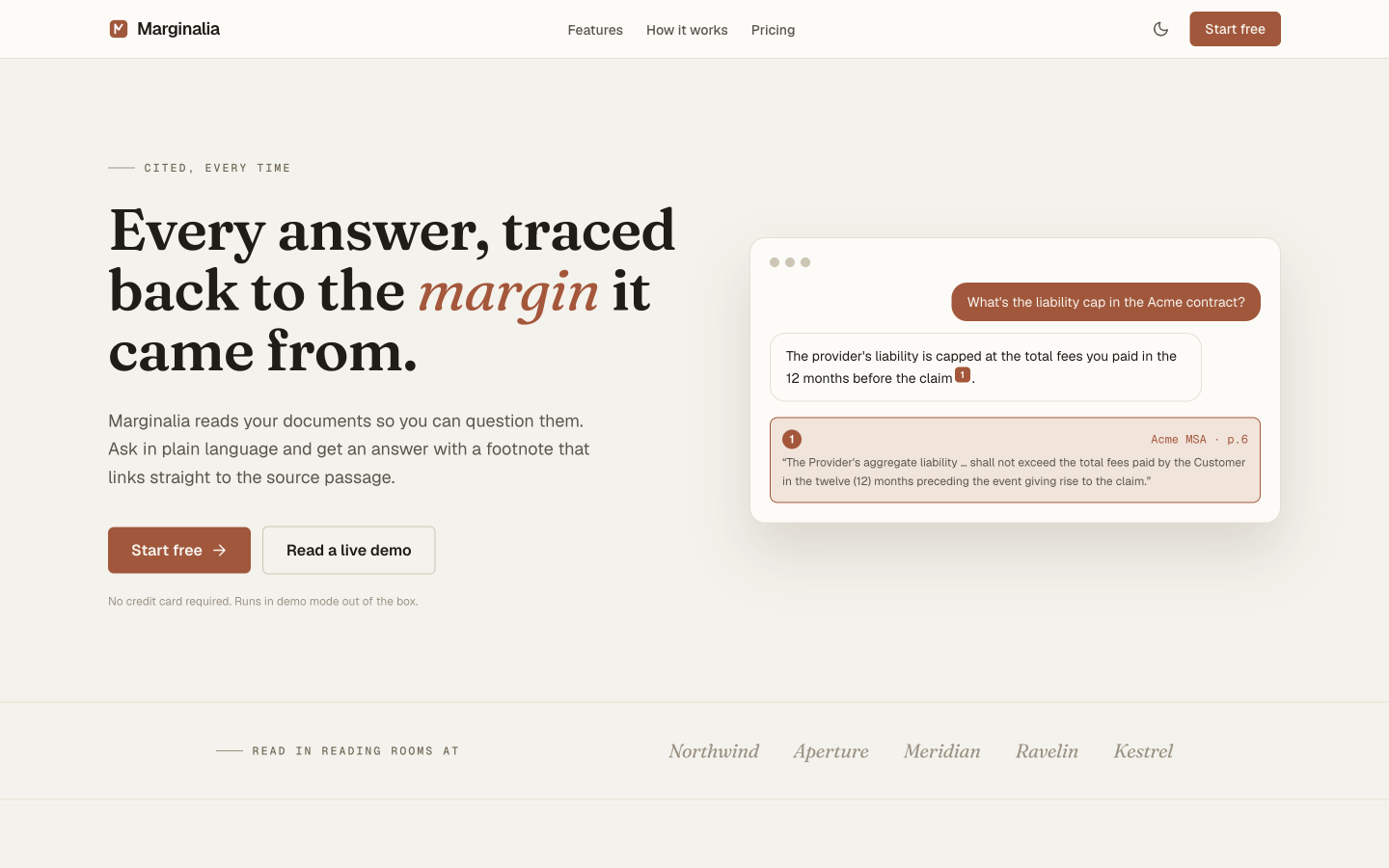
Marginalia is built for founders shipping a RAG product - document Q&A, internal knowledge search, support-ticket lookup - who want the product users see finished: the document library, the citation-linked chat with its synced source panel, onboarding, settings, and billing. It's the product half of a RAG app; the retrieval pipeline is the half you connect.
It's designed for a single-database setup (Postgres + pgvector, so app data and vectors share one connection string) with model calls through the Vercel AI Gateway, so you're not locked into one provider or a second piece of infrastructure. The going-live guide walks through all six steps, and the typed helper signatures mean the UI doesn't change when the real pipeline replaces the demo data.
Zero-config demo mode means you can evaluate the whole product - the citation-linked chat, the ingestion state machine, the source viewer - on a seeded sample corpus before writing a line of integration code. Nothing is faked about the UI; only the data behind it is sample data until you connect your own.
- Founder building a 'chat with your docs' or internal knowledge-base product
- Dev agency that needs a finished product UI to put in front of a client's RAG pipeline
- Team that has a working retrieval prototype and needs the product around it
- SaaS founder who wants model flexibility (OpenAI, Anthropic, open models) without vendor lock-in
Common questions about Marginalia - Chat With Your Documents
Does it run a real RAG pipeline out of the box?
No - it runs in demo mode. Documents, retrieval, and answers come from a seeded sample corpus, ingestion is simulated, answers are revealed word by word from the demo data, and auth and billing are mocked, so no model is called and no database or API keys are needed. The database, ingestion, retrieval, generation, auth, and billing are yours to connect; the README's six-step Going live guide covers each one.
Do I need a separate vector database like Pinecone or Weaviate?
No. Marginalia is designed to store embeddings in the same Postgres database as the rest of your app data, using the pgvector extension (Neon is the intended setup). You add that database when you go live - the guide covers enabling pgvector and creating the tables. One connection string, one database to operate and back up.
Which AI models does it support?
Demo mode doesn't call a model. When you go live, the guide routes generation and embeddings through the Vercel AI Gateway using 'provider/model' strings, so any model the Gateway offers - OpenAI, Anthropic, Google, open-weight models - is a config change rather than a code change.
What does demo mode actually do?
It serves a seeded sample corpus so the full product - upload, ingestion status, citation chat, source viewer - runs with zero setup. Demo retrieval is simple keyword scoring over the seeded passages, with the same return shape a pgvector similarity search will have. To go live, you replace the helpers in src/lib/mock-data.ts with your database, ingestion, retrieval, and model calls behind the same signatures.
How does the citation linking actually work?
Each answer carries metadata pointing at the exact source chunk and page it came from. Hovering or clicking a citation opens the source viewer scrolled to that passage - it's wired through React state and the stored chunk offsets, not a separate lookup service. In demo mode that metadata comes with the sample answers; live, your generation step returns it alongside the retrieved chunks.
Can I use this for something other than document Q&A?
Yes. The ask-a-question, get-a-sourced-answer pattern works for support knowledge bases, internal wikis, and research tools. The document library, ingestion status UI, and citation chat are domain-agnostic; only the seeded demo corpus assumes documents.
Pricing
Choose your plan
One-time purchase. No subscriptions, no renewals.
Solo
1 developer
per template, one-time payment · tax included
- Full source code
- 1 developer license
- 1 end product
- Own products only
- 6 months of updates
- Email support (48h)
Team
Up to 5 developers
per template, one-time payment · tax included
- Full source code
- Up to 5 developers
- Up to 5 end products
- Client work permitted
- 1 year of updates
- Priority email support (24h)
Agency
Unlimited developers
per template, one-time payment · tax included
- Full source code
- Unlimited developers
- Unlimited end products
- Client work permitted
- Lifetime updates
- Priority support
- Dedicated onboarding call
From the blog
The Anatomy of a High-Converting AI SaaS Landing Page
Every section of an AI SaaS landing page broken down - what to include, why it matters for conversion, and the design decisions behind each one.
Read article →Best Next.js Templates for Developers in 2026
A curated list of the best premium and open-source Next.js templates in 2026 - covering SaaS, portfolio, marketing, and dashboard use cases.
Read article →The 7 Best Next.js AI SaaS Starter Kits in 2026
Every AI SaaS starter kit worth considering in 2026, compared honestly - real vs. wired-in AI, backend included or bring-your-own, license terms, and which to pick.
Read article →