Creative Portfolio - Next.js Portfolio Template
Who Creative Portfolio is for
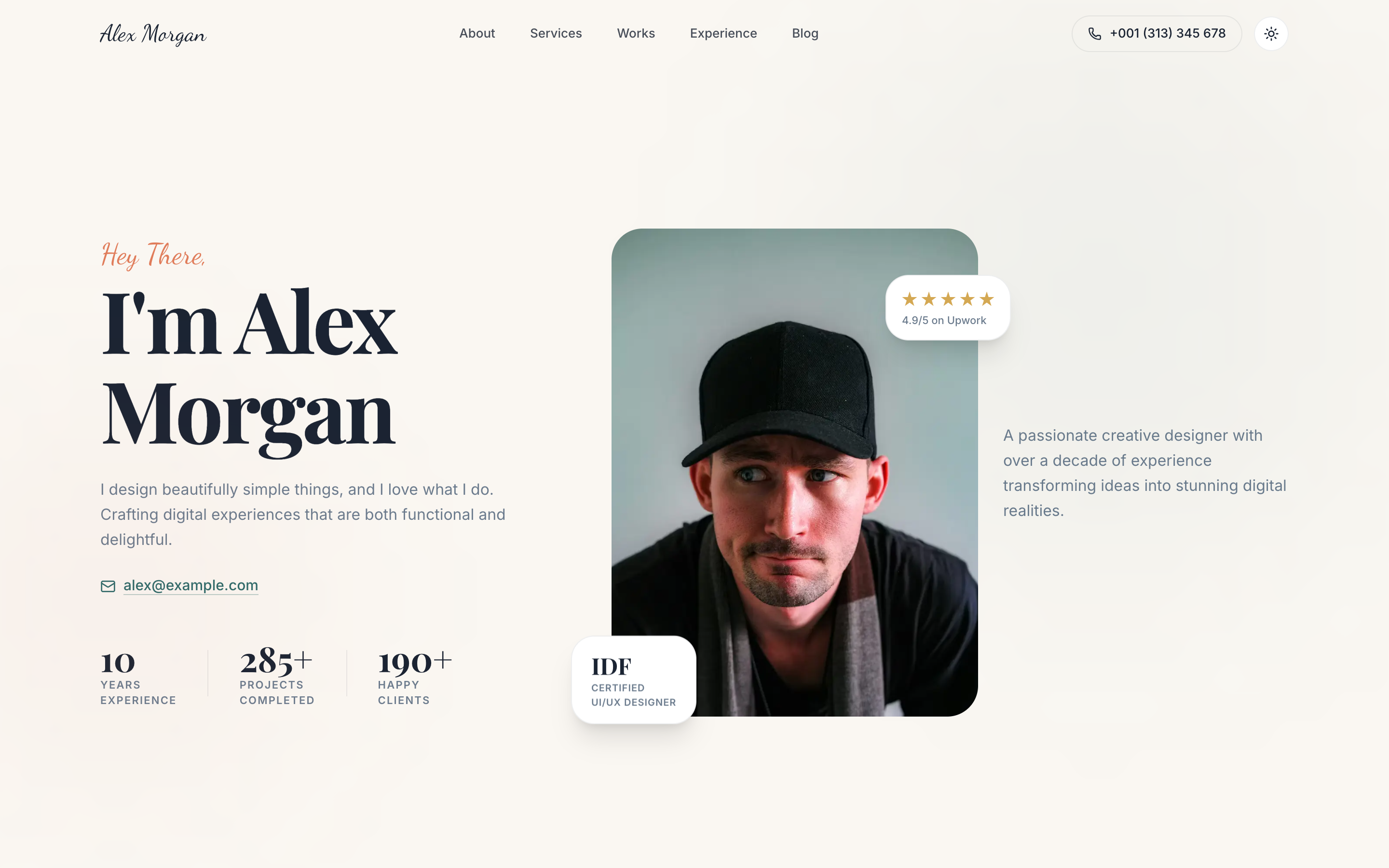
Creative Portfolio is for designers, illustrators, photographers, and visual creatives who want their work presented at the quality level their clients expect. The warm cream palette, Playfair Display headings, and scroll-reveal animations give it an editorial feel closer to a magazine spread than a generic dev portfolio.
Each project gets a full case study page with a hero image, detail section, and screenshots grid - the kind of depth that justifies premium rates. The blog section and individual post pages let you publish writing that builds authority over time. The /uses page is a nice-to-have that tech-adjacent buyers will appreciate.
Everything ships as a static Next.js site with local images. No Cloudinary, no Contentful - just your photos in /public and your words in the data layer.
- Freelance designer or illustrator wanting a portfolio that converts at higher rates
- UX designer building a portfolio for a job search or career pivot
- Photographer or visual artist who wants a polished online presence
- Creative director showcasing personal or side-project work
Common questions about Creative Portfolio
How do I add a new case study?
Case studies are defined in a static works data file. Add a new entry with your slug, title, category, cover image, and content. A new /work/[slug] page is generated automatically at build time.
Can I use my own photography instead of the placeholder images?
Yes - all images are local files in /public. Replace them with your own at the same filenames, or update the image paths in the data files. No external image CDN is required.
How do I change the accent color from the warm coral?
Edit the --color-accent CSS variable in globals.css. The palette uses a token-based system, so one variable change updates buttons, hover states, highlights, and decorative elements throughout.
Is there a working contact form backend?
The contact form UI is included. To receive submissions, wire it to a form service like Resend, Formspree, or Netlify Forms by updating the form's action and adding the API handler. The setup guide covers the Resend option.
Can I remove the blog section if I don't plan to write?
Yes. Delete the /blog route and remove the blog cards from the homepage data. The rest of the template is unaffected - it's modular by design.
Pricing
Choose your plan
One-time purchase. No subscriptions, no renewals.
Solo
1 developer
per template, one-time payment
- Full source code
- 1 developer license
- 1 end product
- Own products only
- 6 months of updates
- Email support (48h)
Team
Up to 5 developers
per template, one-time payment
- Full source code
- Up to 5 developers
- Up to 5 end products
- Client work permitted
- 1 year of updates
- Priority email support (24h)
Agency
Unlimited developers
per template, one-time payment
- Full source code
- Unlimited developers
- Unlimited end products
- Client work permitted
- Lifetime updates
- Priority support
- Dedicated onboarding call
From the blog
The Anatomy of a High-Converting AI SaaS Landing Page
Every section of an AI SaaS landing page broken down - what to include, why it matters for conversion, and the design decisions behind each one.
Read article →Best Next.js Templates for Developers in 2026
A curated list of the best premium and open-source Next.js templates in 2026 - covering SaaS, portfolio, marketing, and dashboard use cases.
Read article →The 7 Best Next.js AI SaaS Starter Kits in 2026
Every AI SaaS starter kit worth considering in 2026, compared honestly - real vs. wired-in AI, backend included or bring-your-own, license terms, and which to pick.
Read article →Related