Agency Studio - Next.js Agency Website Template
Who Agency Studio is for
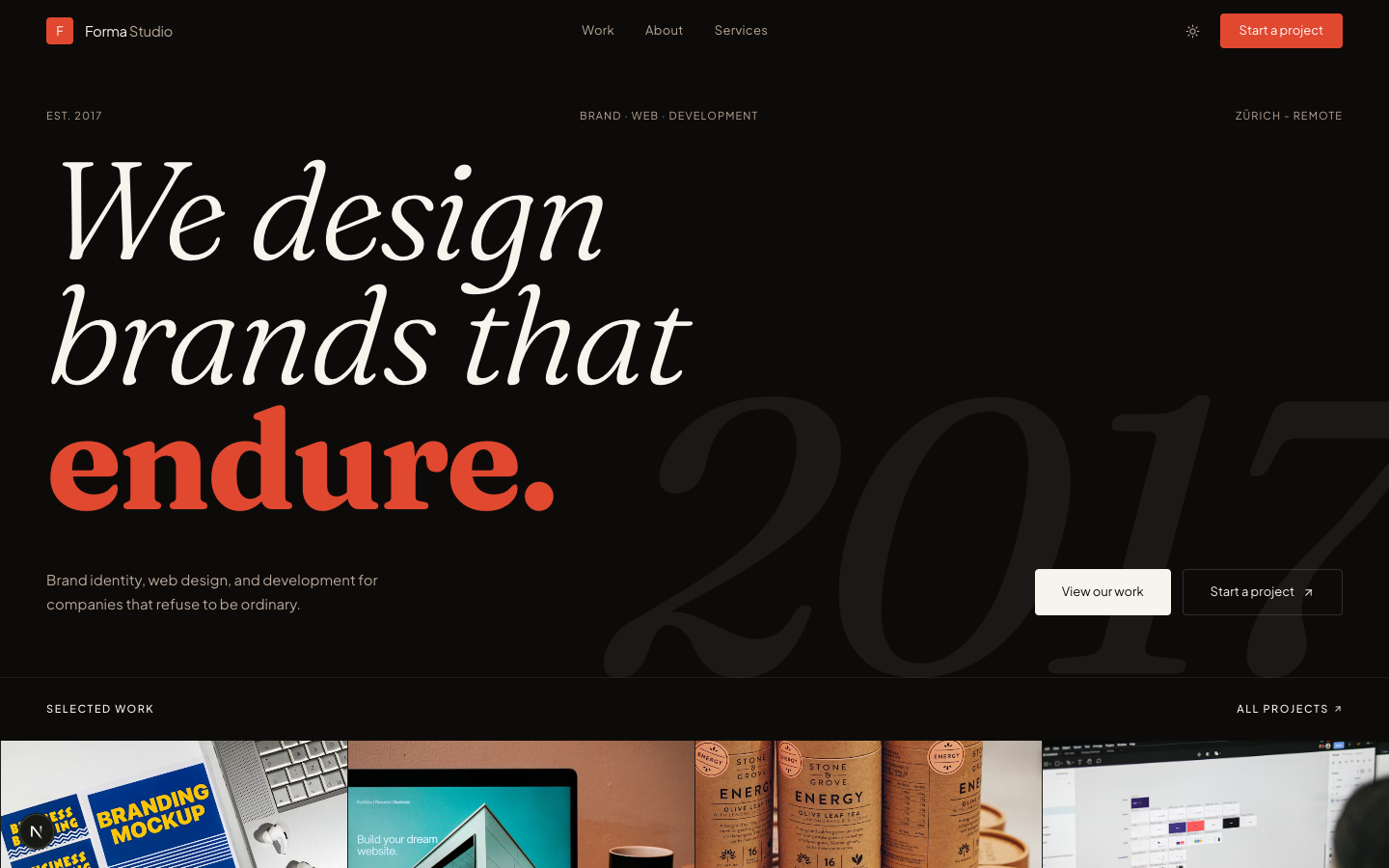
Agency Studio is built for creative professionals who need a client-ready website without the overhead of a CMS or design system from scratch. The editorial Fraunces serif typography and terracotta palette give it a distinctive look that stands out from generic Bootstrap or shadcn agency sites - the kind of aesthetic that lets the work speak for itself.
The filterable portfolio handles up to 8 projects across categories like Branding, Web, Dev, and Motion. If you bill by the project or want to show a curated body of work to land better clients, this template gives you the structure without requiring you to design it yourself.
Everything is statically generated with zero external dependencies. No Contentful account to manage, no API keys to rotate - just content in code and a Vercel deploy.
- Freelance designer or developer looking to upgrade their personal site
- Small creative studio (2-8 people) wanting a polished web presence
- Boutique branding or UX agency pitching to mid-market clients
- Independent consultant who wants to showcase selected work with case studies
Common questions about Agency Studio
How do I add a new project to the portfolio?
Projects are defined in a static data file inside the template. Add a new object with your project details (title, category, image, description) and the portfolio grid and filter tabs update automatically. No CMS, no database - just edit the file and redeploy.
Can I swap the Fraunces serif for a different font?
Yes. The font is loaded via next/font in the layout file. Replace the Fraunces import with any Google Font or local font. The template uses CSS variables for typography, so one change cascades everywhere.
Does it support a CMS like Contentful or Sanity?
Not out of the box - content is static by design, which is why it has zero runtime dependencies and deploys to a free Vercel tier. You can wire in a CMS by replacing the static data imports with API calls in each page component.
How do I deploy it?
Run npm install, then npm run build. Deploy the output to Vercel, Netlify, or Cloudflare Pages - all work with Next.js static export. The setup guide at /docs/agency-studio walks through the full process.
Can I remove the dark mode toggle and ship light-mode only?
Yes. Remove the ThemeToggle component from the Navbar and delete the dark-mode CSS block from globals.css. The light palette (cream + terracotta) is the default and looks great on its own.
Pricing
Choose your plan
One-time purchase. No subscriptions, no renewals.
Solo
1 developer
per template, one-time payment
- Full source code
- 1 developer license
- 1 end product
- Own products only
- 6 months of updates
- Email support (48h)
Team
Up to 5 developers
per template, one-time payment
- Full source code
- Up to 5 developers
- Up to 5 end products
- Client work permitted
- 1 year of updates
- Priority email support (24h)
Agency
Unlimited developers
per template, one-time payment
- Full source code
- Unlimited developers
- Unlimited end products
- Client work permitted
- Lifetime updates
- Priority support
- Dedicated onboarding call
From the blog
The Anatomy of a High-Converting AI SaaS Landing Page
Every section of an AI SaaS landing page broken down - what to include, why it matters for conversion, and the design decisions behind each one.
Read article →Best Next.js Templates for Developers in 2026
A curated list of the best premium and open-source Next.js templates in 2026 - covering SaaS, portfolio, marketing, and dashboard use cases.
Read article →The 7 Best Next.js AI SaaS Starter Kits in 2026
Every AI SaaS starter kit worth considering in 2026, compared honestly - real vs. wired-in AI, backend included or bring-your-own, license terms, and which to pick.
Read article →Related