Elite CRM - Next.js Dashboard Template
Who Elite CRM is for
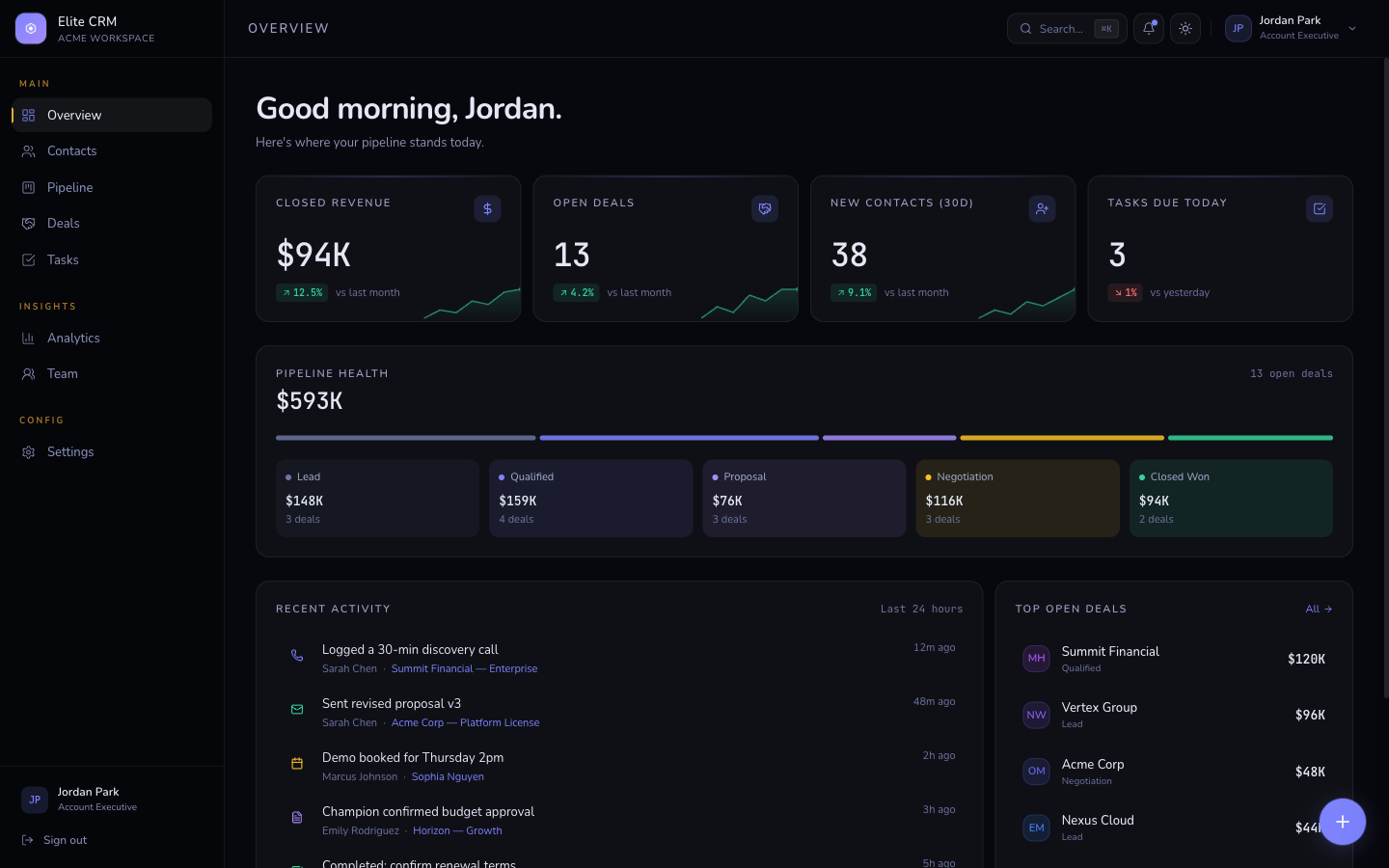
Elite CRM is for SaaS founders building a CRM or sales tool, and for agencies that need to demonstrate a complex product UI to clients without months of development. It's the most feature-complete dashboard template in the collection - Kanban pipeline, global slide-over detail panel, Cmd+K command palette, multi-row deal selection, and a full analytics page with four chart types.
The Indigo Console design system (dark-first with an opt-in light mode and a persistent console-dark sidebar) gives it the kind of premium, product-company feel that passes for a funded startup's internal tool. The typed mock-data layer mirrors real CRM API shapes, so replacing it with live data from HubSpot, Salesforce, or your own database is straightforward.
If you're pitching a CRM product to investors, demoing to enterprise sales prospects, or building the real thing and want to skip six months of UI work, this is the template to start from.
- SaaS founder building a CRM, sales tool, or customer success product
- Agency building a white-label client portal or internal sales dashboard
- Developer demoing a complex B2B product to enterprise buyers
- Startup that needs investor-ready UI for a pipeline or deal-flow tool
Common questions about Elite CRM
How do I connect Elite CRM to a real database?
Each page imports from a typed mock-data module (contacts, deals, tasks). Replace those imports with async functions that call your API - REST, GraphQL, or a direct Prisma/Drizzle query in a server component. The TypeScript interfaces are already defined, so your data just needs to match the shape.
Does the Cmd+K command palette search live data?
By default it searches the mock data. To wire it to live data, update the search handler in the command palette component to call your API and return results in the same shape. The UI (keyboard navigation, result grouping, icons) stays the same.
Can I add a new Kanban column to the pipeline?
Yes. The pipeline columns are defined in a COLUMNS config array. Add a new entry with your column name and stage ID - the board renders it automatically. Drag-and-drop uses a simple state update you can replace with an API call.
How do I change the indigo accent to my brand color?
Edit --color-accent and --color-accent-hover in globals.css. Sidebar active states, badges, buttons, and chart fills all use the token, so one change repaints the entire UI.
Is there a backend or API included?
No - Elite CRM is a frontend template. You bring your own backend. The typed mock-data layer makes it easy to see exactly what shape your API needs to return for each page.
Pricing
Choose your plan
One-time purchase. No subscriptions, no renewals.
Solo
1 developer
per template, one-time payment
- Full source code
- 1 developer license
- 1 end product
- Own products only
- 6 months of updates
- Email support (48h)
Team
Up to 5 developers
per template, one-time payment
- Full source code
- Up to 5 developers
- Up to 5 end products
- Client work permitted
- 1 year of updates
- Priority email support (24h)
Agency
Unlimited developers
per template, one-time payment
- Full source code
- Unlimited developers
- Unlimited end products
- Client work permitted
- Lifetime updates
- Priority support
- Dedicated onboarding call
From the blog
The Anatomy of a High-Converting AI SaaS Landing Page
Every section of an AI SaaS landing page broken down - what to include, why it matters for conversion, and the design decisions behind each one.
Read article →Best Next.js Templates for Developers in 2026
A curated list of the best premium and open-source Next.js templates in 2026 - covering SaaS, portfolio, marketing, and dashboard use cases.
Read article →The 7 Best Next.js AI SaaS Starter Kits in 2026
Every AI SaaS starter kit worth considering in 2026, compared honestly - real vs. wired-in AI, backend included or bring-your-own, license terms, and which to pick.
Read article →Related