A production-quality sticky sidebar in Next.js needs four things: CSS position sticky for the layout, active link detection with usePathname, a mobile collapse mechanism, and dark mode tokens. Here is the complete implementation.
Sidebar navigation is one of the most common patterns in SaaS dashboards and documentation sites - and one of the most commonly broken. A good sidebar is sticky, collapses on mobile, highlights the active route, and works with dark mode. Here's how to build it correctly with Next.js App Router and Tailwind CSS v4.
The layout structure
The key to a sticky sidebar is the parent layout. The sidebar and main content sit side-by-side in a flex container, and the sidebar uses `sticky top-0 h-screen` to stay in view while the content scrolls.
// app/dashboard/layout.tsx
export default function DashboardLayout({
  children,
}: {
  children: React.ReactNode;
}) {
  return (
    <div className="flex min-h-screen bg-background">
      <Sidebar />
      <main className="flex-1 overflow-y-auto p-6">
        {children}
      </main>
    </div>
  );
}
The sidebar component
// components/Sidebar.tsx
"use client";

import Link from "next/link";
import { usePathname } from "next/navigation";
import { useState } from "react";

const navItems = [
  { href: "/dashboard", label: "Overview" },
  { href: "/dashboard/analytics", label: "Analytics" },
  { href: "/dashboard/users", label: "Users" },
  { href: "/dashboard/billing", label: "Billing" },
  { href: "/dashboard/settings", label: "Settings" },
];

export function Sidebar() {
  const pathname = usePathname();
  const [open, setOpen] = useState(false);

  return (
    <>
      {/* Mobile toggle */}
      <button
        className="fixed top-4 left-4 z-50 md:hidden p-2 bg-card border border-border"
        onClick={() => setOpen(!open)}
        aria-label="Toggle navigation"
      >
        <span className="block w-5 h-0.5 bg-foreground mb-1" />
        <span className="block w-5 h-0.5 bg-foreground mb-1" />
        <span className="block w-5 h-0.5 bg-foreground" />
      </button>

      {/* Backdrop */}
      {open && (
        <div
          className="fixed inset-0 z-40 bg-black/50 md:hidden"
          onClick={() => setOpen(false)}
        />
      )}

      {/* Sidebar */}
      <aside
        className={`
          fixed md:sticky top-0 left-0 z-40 h-screen w-64
          bg-card border-r border-border
          flex flex-col
          transition-transform duration-200
          md:translate-x-0
          ${open ? "translate-x-0" : "-translate-x-full"}
        `}
      >
        <div className="p-6 border-b border-border">
          <span className="font-bold text-foreground">Dashboard</span>
        </div>

        <nav className="flex-1 p-4 space-y-1 overflow-y-auto">
          {navItems.map((item) => {
            const active = pathname === item.href;
            return (
              <Link
                key={item.href}
                href={item.href}
                onClick={() => setOpen(false)}
                className={`
                  flex items-center px-3 py-2 text-sm font-medium
                  transition-colors
                  ${active
                    ? "bg-primary/10 text-primary"
                    : "text-muted-foreground hover:bg-muted hover:text-foreground"
                  }
                `}
              >
                {item.label}
              </Link>
            );
          })}
        </nav>
      </aside>
    </>
  );
}
Tailwind CSS v4 tokens for the sidebar
Using CSS custom properties for colors means the sidebar automatically switches between light and dark mode without any extra JavaScript. Define the tokens once in globals.css and every component inherits them.
Related template
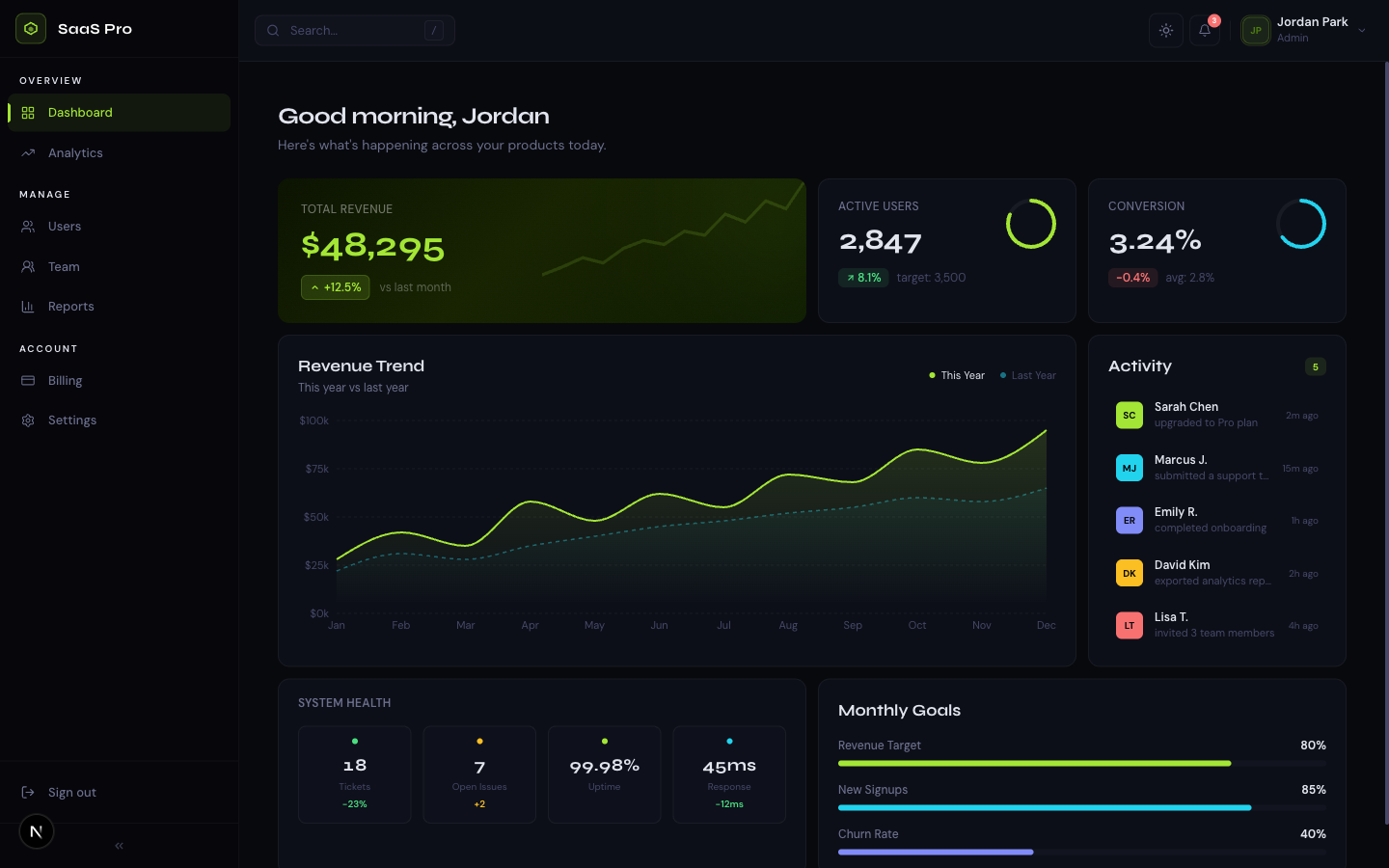
SaaS Dashboard ProA premium analytics dashboard with a bold midnight + electric lime design system, bento grid layout, interactive charts, and full dark mode.
/* globals.css */
@import "tailwindcss";

@theme {
  --color-background:       #ffffff;
  --color-foreground:       #0c0c0d;
  --color-card:             #f8f8f6;
  --color-border:           #e8e8e4;
  --color-muted-foreground: #6b6b6e;
  --color-muted:            #f0f0ee;
  --color-primary:          #e5402a;
}

/* Dark mode overrides */
@variant dark (&:where(.dark, .dark *)) {
  --color-background:       #0c0c0d;
  --color-foreground:       #fcfcfa;
  --color-card:             #141416;
  --color-border:           rgba(255,255,255,0.08);
  --color-muted-foreground: #9a9a9c;
  --color-muted:            rgba(255,255,255,0.05);
}
Adding a collapsible sidebar for desktop
For dashboards where users want more screen space, a collapsible desktop sidebar is a common requirement. The pattern is to toggle between a full-width sidebar (showing labels) and an icon-only sidebar (showing just icons). Store the collapsed state in localStorage so it persists across page loads.
// Store collapse state in localStorage
const [collapsed, setCollapsed] = useState(() => {
  if (typeof window === "undefined") return false;
  return localStorage.getItem("sidebar-collapsed") === "true";
});

const toggleCollapse = () => {
  const next = !collapsed;
  setCollapsed(next);
  localStorage.setItem("sidebar-collapsed", String(next));
};

// Apply to sidebar width
<aside className={`
  sticky top-0 h-screen border-r border-border
  transition-all duration-200
  ${collapsed ? "w-16" : "w-64"}
`}>
Common mistakes to avoid
Get the free template, plus new drops
DocsKit Free lands in your inbox right away. New templates after that.
- Using position:fixed instead of sticky - fixed sidebars require manual padding on the main content; sticky just works with the flex layout
- Active link detection with pathname.includes() - this marks parent routes as active when children are open; use exact match or startsWith carefully
- Forgetting overflow-y-auto on the nav - long navigation lists will overflow the sidebar without it
- Not closing the mobile sidebar on navigation - add onClick={() => setOpen(false)} to each link
- Using window.innerWidth for mobile detection - use Tailwind's responsive prefixes (md:) instead; they're CSS and don't cause hydration issues
Frequently asked questions
How do I make a sidebar sticky in Next.js?
Use `position: sticky` (Tailwind: `sticky top-0 h-screen`) on the sidebar inside a flex parent. The sidebar stays in view while the main content scrolls. This requires the parent to be `display: flex` and the main content to have `overflow-y-auto` or use the natural document scroll.
How do I highlight the active link in a Next.js sidebar?
Use the `usePathname` hook from `next/navigation` to get the current route. Compare it to each navigation item's href and apply active styles conditionally. Mark the component with `use client` since usePathname is a client-side hook.
TheKitBase dashboard templates ship with a fully built collapsible sidebar, active link detection, mobile drawer, and dark mode - ready to customize. From $39.
Browse Templates