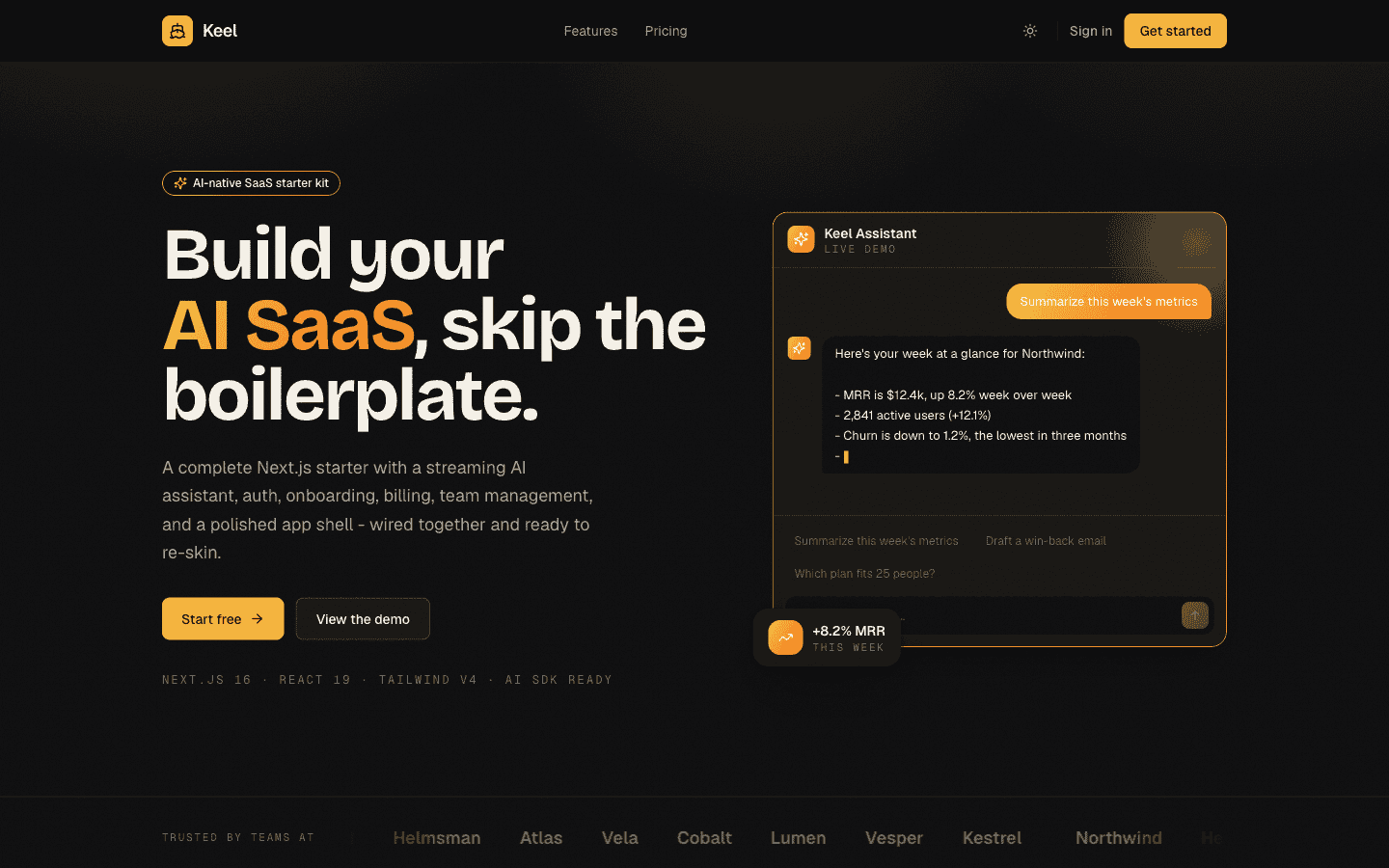
Every new Next.js project starts with the same question: grab a free starter, spend a week building architecture, or invest in something production-ready from day one. I've built 6 Next.js templates that ship commercially - SaaS dashboards, CRM tools, AI landing pages, agency sites, docs, and portfolios. Here's how everything stacks up in 2026, including the free alternatives I'd actually recommend.
How I ranked these
Each pick is ranked on five criteria that matter when you're shipping real software, not just prototyping:
- TypeScript strict mode - not just TypeScript, but all strict checks enabled including noUncheckedIndexedAccess. The difference between catching bugs at compile time vs. runtime.
- Lighthouse score out of the box - 95+ means performance, accessibility, SEO, and best practices are already solved before you write your first line.
- Flash-free dark mode - most implementations cause a visible flash on load. The correct fix requires a blocking inline script in <head>.
- Page depth - how much is actually built vs. how much you still have to design and code from scratch.
- License clarity - whether you can use it for client work, SaaS, or unlimited projects without renegotiating.
The 8 best Next.js boilerplates in 2026
1. SaaS Dashboard Pro - Best for SaaS admin panels
A production SaaS admin panel is 9-12 pages minimum: overview, analytics, user management, billing, reports, team, settings, login, signup. Most free starters give you a homepage and three routes. SaaS Dashboard Pro ships all of them as a coherent design system, not a patchwork of components.
The design uses a midnight background with electric lime as the primary accent - distinctive enough to look custom, token-based enough to reskin completely by changing 6 CSS variables. Built on the Tailwind v4 @theme directive:
/* globals.css - swap these 6 variables to retheme the entire app */
@theme {
  --color-primary:         oklch(0.65 0.20 130);  /* electric lime */
  --color-primary-hover:   oklch(0.60 0.20 130);
  --color-background:      oklch(0.08 0.01 250);  /* midnight */
  --color-card:            oklch(0.12 0.01 250);
  --color-foreground:      oklch(0.96 0.00   0);
  --color-muted-foreground: oklch(0.60 0.01 250);
}- 9 fully designed pages including auth, billing, team, and reports
- Interactive Recharts - area, bar, and line charts with real data shapes
- Collapsible sidebar with mobile drawer and keyboard navigation
- TypeScript strict mode, 98 Lighthouse, WCAG AA contrast
- From $49 one-time - no recurring fee
SaaS Dashboard Pro - 9 pages, Recharts, collapsible sidebar, full dark mode. Reskin with 6 CSS variables.
See SaaS Dashboard Pro2. Elite CRM - Best for CRM and pipeline tools
CRM products have specific UI needs that generic dashboards don't cover: a contacts table with inline actions, a deals pipeline in Kanban layout, and some way to quickly jump between records without losing context. Elite CRM ships all of this with a command palette (Cmd+K) so power users never have to reach for the mouse.
The TypeScript interfaces are designed for real CRM data shapes, not placeholder objects:
interface Deal {
  id: string;
  title: string;
  company: string;
  value: number;
  stage: "lead" | "qualified" | "proposal" | "negotiation" | "closed-won" | "closed-lost";
  owner: string;
  lastActivity: Date;
}

interface Contact {
  id: string;
  name: string;
  email: string;
  company: string;
  deals: Deal["id"][];
  tags: string[];
}- Contacts table with search, filter, and inline edit
- Deals Kanban board with drag-and-drop between stages
- Analytics: pipeline value, win rate, activity trends
- Command palette (Cmd+K) with fuzzy search across all records
- Dark mode, TypeScript strict, 98 Lighthouse
- From $99 one-time
Elite CRM - Contacts, Kanban pipeline, analytics, and Cmd+K command palette. Built for power users.
See Elite CRM3. AI SaaS Landing - Best for AI startup marketing sites
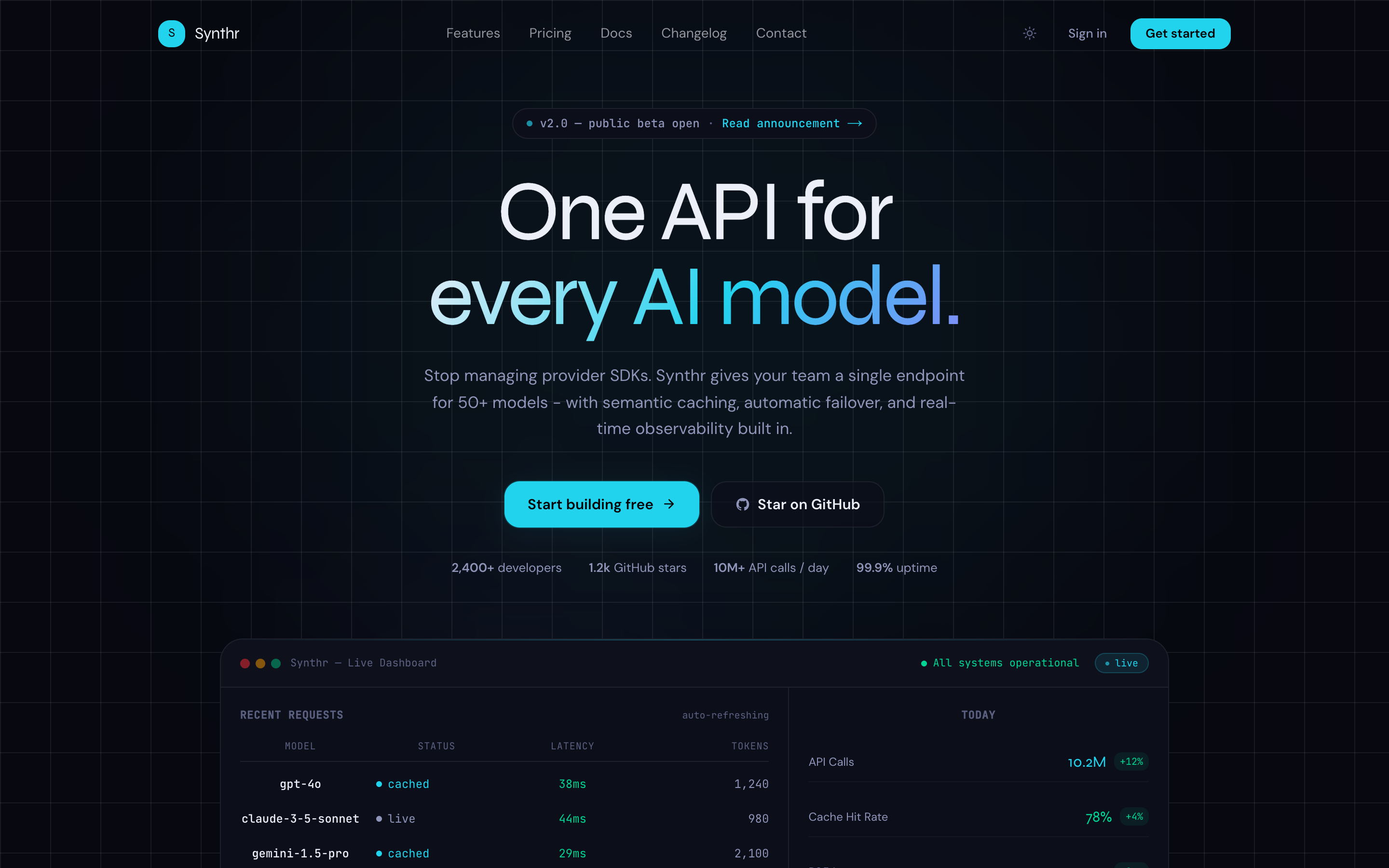
AI products have a visual language: dark-first, data-dense hero sections, bento grid features, and a pricing section that handles annual/monthly toggle without janky layout shifts. AI SaaS Landing nails all of this with 11 pages including blog, changelog, docs, and auth - the full content infrastructure a growing AI startup needs for SEO and launch momentum.
- 11 pages: landing, blog, changelog, docs, pricing, auth (login + signup), and 4 inner pages
- Animated API log hero demonstrating the product in motion
- Bento feature grid with icon and copy slots
- Pricing with monthly/yearly toggle and per-tier feature lists
- Dark-first with a purple/violet palette and subtle gradients
- From $79 one-time
AI SaaS Landing - 11 pages, animated hero, bento grid, pricing toggle. Full blog and changelog included.
See AI SaaS Landing4. Agency Studio - Best for creative agency and studio websites
Agency sites need to communicate craft. A plain Inter-on-white layout signals that you didn't care about your own website - why would a client trust you with theirs? Agency Studio uses Fraunces variable serif for editorial weight, light-mode-first design (most high-end agencies lead with light), and a filterable portfolio that actually supports real project images.
Related template
AI SaaS LandingA dark-first AI SaaS landing page with bento features, animated hero dashboard, pricing toggle, blog, changelog, docs, and auth pages.
- Fraunces variable serif for editorial typographic identity
- Filterable 8-project portfolio grid with category filter
- Case study inner page with full project detail layout
- Team page, services section with 4-step process layout
- Light-mode-first with full dark mode support
- From $69 one-time
Agency Studio - editorial typography, filterable portfolio, team page, case study layout. Light-first with dark mode.
See Agency Studio5. DocsKit - Best for product documentation sites
Good documentation is a product differentiator. DocsKit ships with a sticky sidebar that auto-highlights the current section as you scroll, MDX support with syntax-highlighted code blocks, and full-text search. Everything is server-rendered - no client-side-only rendering that makes your docs invisible to search engines. The URL structure is versioning-ready from day one.
- Sticky sidebar with scroll-spy active section tracking
- MDX content with code syntax highlighting built in
- Full-text search across all documentation pages
- Versioning-ready URL structure (/docs/v2/...)
- Server-rendered - Google indexes every page instantly
- From $39 one-time
DocsKit - MDX, full-text search, sticky sidebar, server-rendered. Documentation your users will actually read.
See DocsKit6. Creative Portfolio - Best for developer and designer portfolios
A portfolio template needs more than a homepage. It needs case study pages with room for actual project content, a blog for building authority, and a uses/toolkit page (these perform surprisingly well in search and get shared frequently in developer communities). Creative Portfolio covers all three inner page types with a warm cream and teal/coral palette that stands out from the grey-on-white default.
- Warm cream + teal/coral palette with Playfair Display headings
- Case study inner page with project detail layout
- Blog with individual post pages
- Uses/toolkit page with gear and stack sections
- Scroll-reveal animations using CSS custom properties
- From $39 one-time
Creative Portfolio - case studies, blog, uses page, scroll-reveal animations. Warm palette that doesn't look like everyone else.
See Creative Portfolio7. T3 Stack - Best free full-stack boilerplate
If you need tRPC, Prisma, and NextAuth wired together and working before you write a line of feature code, T3 Stack is the standard. It makes strong architectural decisions (end-to-end typesafe APIs, ORM-based DB access, session-based auth) so you don't have to. The trade-off: it gives you zero UI. You're starting from a blank canvas design-wise.
npx create-t3-app@latest my-app
# choose: TypeScript, Tailwind, tRPC, Prisma, NextAuth
# result: fully wired full-stack starter, zero UI design- tRPC for end-to-end typesafe API layer
- Prisma ORM with database migrations
- NextAuth for session-based authentication
- TypeScript strict mode throughout
- Free and open source - MIT license
- No UI design - you build the interface from scratch
8. create-next-app - Best for starting from scratch
Get the free template, plus new drops
DocsKit Free lands in your inbox right away. New templates after that.
The official Vercel starter is the right choice when you know exactly what you want to build and don't want any opinions imposed on you. Zero design, zero architectural decisions beyond what Next.js already makes. The --typescript --tailwind --app flags give you the modern stack baseline.
npx create-next-app@latest my-app \
  --typescript \
  --tailwind \
  --app \
  --src-dir
# result: blank canvas, App Router, Tailwind CSS configured- Official Vercel starter - always current with latest Next.js
- App Router, TypeScript, Tailwind CSS in one command
- Zero opinions beyond Next.js defaults
- Free, MIT license
- Requires the most build time - everything from the homepage to auth is on you
Quick comparison
| Boilerplate | TypeScript strict | Lighthouse | Dark mode | Pages built | Price |
|---|---|---|---|---|---|
| SaaS Dashboard Pro | Yes | 98 | Flash-free | 9 | $49 |
| Elite CRM | Yes | 98 | Flash-free | 7 | $99 |
| AI SaaS Landing | Yes | 98 | Flash-free | 11 | $79 |
| Agency Studio | Yes | 98 | Flash-free | 6 | $69 |
| DocsKit | Yes | 98 | Flash-free | 5+ | $39 |
| Creative Portfolio | Yes | 98 | Flash-free | 5 | $39 |
| T3 Stack | Yes | Varies | None built in | 0 | Free |
| create-next-app | Yes | 95+ | None built in | 1 | Free |
The TypeScript config that actually matters
Most Next.js projects say 'TypeScript' but don't enable the flags that make it useful. Strict mode alone catches a lot of bugs, but these additional checks eliminate entire categories of runtime errors:
// tsconfig.json - what strict actually means
{
  "compilerOptions": {
    "strict": true,                      // enables 8 checks at once
    "noUncheckedIndexedAccess": true,    // arr[0] is T | undefined, not T
    "noImplicitOverride": true,          // must declare override keyword
    "exactOptionalPropertyTypes": true,  // { x?: string } !== { x: string | undefined }
    "forceConsistentCasingInFileNames": true
  }
}
noUncheckedIndexedAccess is the one that most teams don't enable. It means array[0] returns T | undefined instead of T - which is technically correct and catches a surprising number of 'cannot read property of undefined' bugs at compile time.
Dark mode: why most implementations are wrong
The standard CSS-class approach to dark mode causes a visible flash on load (FOUC - flash of unstyled content) because the JavaScript that reads localStorage runs after the first paint. The fix is a small blocking inline script that runs synchronously in <head> before anything renders:
<!-- In layout.tsx <head>, before any CSS loads -->
<!-- This runs synchronously - no flash, no flicker -->
<script dangerouslySetInnerHTML={{ __html: `
  (function() {
    var stored = localStorage.getItem('theme');
    var sys = window.matchMedia('(prefers-color-scheme: dark)').matches;
    if (stored === 'dark' || (!stored && sys)) {
      document.documentElement.classList.add('dark');
    }
  })();
`}} />
Every template at TheKitBase uses this pattern. If you're evaluating any Next.js boilerplate, toggle dark mode and reload the page. If it flashes - even briefly - the implementation is wrong and you'll need to fix it.
How to choose
- Building a SaaS product with admin dashboard: SaaS Dashboard Pro covers the full page set before you write your first feature.
- Building a CRM, pipeline tool, or internal operations product: Elite CRM - the Kanban and command palette will take weeks to build from scratch.
- Building an AI startup and need a marketing site fast: AI SaaS Landing - 11 pages including blog and changelog in one purchase.
- Building a client website for an agency or studio: Agency Studio - the filterable portfolio and case study layout are built for this.
- Need to ship documentation for a product or open source project: DocsKit - MDX, search, and sidebar already solved.
- Building a developer or designer personal site: Creative Portfolio - all three inner page types included.
- Need end-to-end typesafe full-stack architecture with no UI opinions: T3 Stack - free and the right tool for this specific need.
- Want a completely blank canvas starting from the official Next.js baseline: create-next-app.
Bottom line
Free boilerplates are the right choice when you need architectural decisions made with no UI opinions (T3 Stack), or when you genuinely want to design everything yourself (create-next-app). For everything else - when you're billing hourly, launching a real product, or need to ship something that looks credible on day one - a premium template that's already at 98 Lighthouse with flash-free dark mode and TypeScript strict throughout pays for itself in the first few hours.
All TheKitBase templates include a live preview before you buy. Run it through PageSpeed Insights, test the dark mode toggle, check it on mobile. If it doesn't hold up, don't buy it.
Browse all 6 Next.js templates at TheKitBase - SaaS dashboards, CRM, AI landing pages, agency sites, docs, and portfolios. From $39, one-time purchase.
Browse All Templates