Adding Shadcn/ui to an existing Next.js template takes about 15 minutes if your template uses Tailwind CSS. The main consideration is CSS variable naming - Shadcn uses its own token names that you need to map to your existing design system. Here is the complete process.
Shadcn/ui is the most popular way to add high-quality accessible components to a Next.js project. If you're working with an existing template that already has Tailwind CSS set up, adding Shadcn/ui is straightforward - with one important caveat around CSS variables.
Step 1: Initialize Shadcn/ui
# In your Next.js project root
npx shadcn@latest init

# The CLI will ask:
# - Which style? → Default (or New York for tighter spacing)
# - Which color? → Pick any - you'll override the tokens anyway
# - Use CSS variables? → Yes
The init command adds a `components.json` config file, updates your `globals.css` with Shadcn's CSS variables, and installs the required dependencies. The CSS variable addition is what you need to review carefully.
Step 2: Map your existing tokens to Shadcn variables
Shadcn/ui uses specific CSS variable names (`--background`, `--foreground`, `--primary`, etc.). If your template uses different variable names, you need to map them. The easiest approach is to update the Shadcn variables to point to your existing tokens.
/* globals.css - after shadcn init */

/* Your existing tokens (keep these) */
@theme {
  --color-background: #ffffff;
  --color-foreground: #0c0c0d;
  --color-primary:    #e5402a;
  --color-border:     #e8e8e4;
  --color-muted:      #f0f0ee;
}

/* Map Shadcn variables to your tokens */
:root {
  --background:   var(--color-background);
  --foreground:   var(--color-foreground);
  --primary:      var(--color-primary);
  --border:       var(--color-border);
  --muted:        var(--color-muted);
  --radius:       0rem; /* or match your border-radius */
}

/* Dark mode - Shadcn reads these too */
.dark {
  --background:   #0c0c0d;
  --foreground:   #fcfcfa;
  --primary:      #e5402a;
  --border:       rgba(255,255,255,0.08);
  --muted:        rgba(255,255,255,0.05);
}
Step 3: Add your first component
# Add individual components as you need them
npx shadcn@latest add button
npx shadcn@latest add input
npx shadcn@latest add dialog
npx shadcn@latest add table
npx shadcn@latest add select

# Or add multiple at once
npx shadcn@latest add button input dialog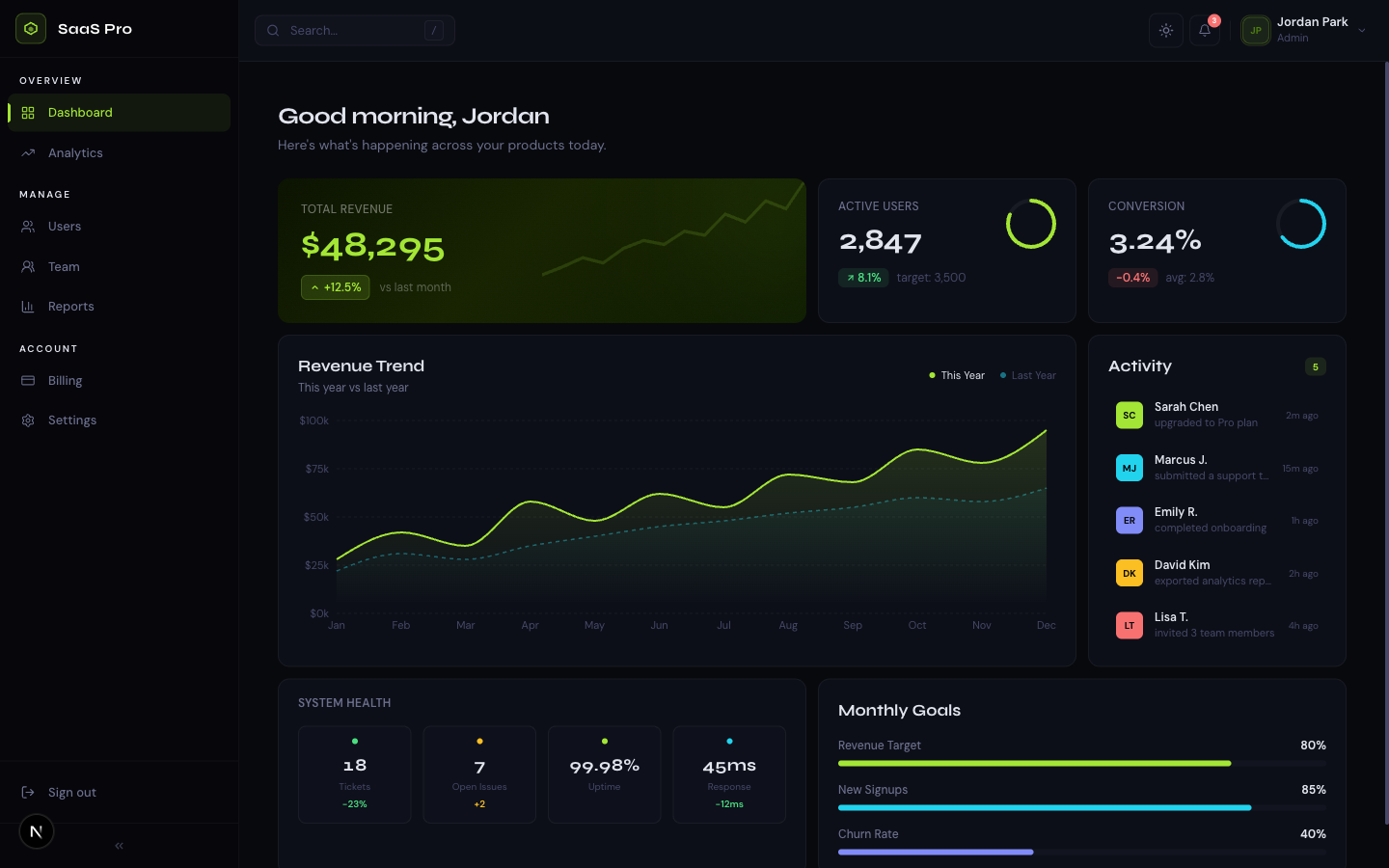
Related template
SaaS Dashboard ProA premium analytics dashboard with a bold midnight + electric lime design system, bento grid layout, interactive charts, and full dark mode.
Each component is copied into your `components/ui/` folder as source code. You own it - you can modify it, and updates don't automatically change your code. This is intentional: Shadcn/ui is a component registry, not a dependency.
Step 4: Handle Tailwind CSS v4 compatibility
Shadcn/ui was originally built for Tailwind CSS v3. If your template uses Tailwind v4, there are a few adjustments needed. The main difference is that Tailwind v4 doesn't use `tailwind.config.js` - configuration happens in CSS.
/* Tailwind v4 - add Shadcn variable support in globals.css */
@import "tailwindcss";

/* Make Shadcn's --radius variable available as a Tailwind utility */
@theme {
  --radius-sm: calc(var(--radius) - 2px);
  --radius-md: var(--radius);
  --radius-lg: calc(var(--radius) + 2px);
}
Step 5: Verify dark mode works
Get the free template, plus new drops
DocsKit Free lands in your inbox right away. New templates after that.
Shadcn/ui components use the `.dark` class on the document root for dark mode. If your template already uses this pattern, Shadcn components will pick up your dark mode automatically. If your template uses a different dark mode approach (like data attributes), update Shadcn's components to match.
// Make sure your theme toggle sets the dark class on <html>
// This is what Shadcn expects
document.documentElement.classList.toggle("dark");

// NOT data-theme="dark" or class on body
// Shadcn reads the .dark class on <html> specifically
Frequently asked questions
Does Shadcn/ui work with Tailwind CSS v4?
Yes, with minor adjustments. Shadcn/ui was designed for Tailwind v3 but works with v4. The main changes are: configure in CSS instead of tailwind.config.js, map CSS variables using @theme instead of the extend object, and ensure your globals.css imports tailwindcss before Shadcn's variable declarations.
Will Shadcn/ui break my existing template styles?
Only if there are CSS variable name conflicts. Shadcn uses generic names like --background and --foreground. If your template uses the same names with different values, you'll need to reconcile them. The safest approach is to keep your template's token names and map the Shadcn variable names to your tokens as shown above.
TheKitBase templates come with a complete design system and component library built-in - no integration required. Start with a complete site instead of assembling components. From $39.
Browse Templates