Tailwind CSS is now the dominant CSS framework for new Next.js projects in 2026. Bootstrap is still widely used but losing ground fast - particularly for SaaS, dashboards, and modern marketing sites. Here is what changed, why developers are switching, and whether it makes sense for your project.
Bootstrap dominated frontend development for over a decade. In 2026 it still powers millions of sites, has an enormous ecosystem, and remains a legitimate choice for many projects. But for new Next.js projects specifically, Tailwind CSS has become the clear default. Here's the honest comparison.
The core difference in philosophy
Bootstrap gives you pre-built components with predefined styles. You use a button by writing `<button class="btn btn-primary">`. The component looks good immediately but customizing it means fighting the defaults - overriding CSS variables, extending themes, or writing custom CSS that has to win specificity battles.
Tailwind gives you utility classes and no components. You build a button by composing utilities: `<button class="px-4 py-2 bg-blue-600 text-white rounded font-medium hover:bg-blue-700">`. There is nothing to fight. Every visual decision is explicit in the markup. The trade-off is that you write more HTML, but you get complete control with no overrides.
Why developers are switching in 2026
- Design token systems - Tailwind v4 CSS variables map perfectly to modern design systems. Bootstrap's variables work but feel bolted on.
- Component libraries built on Tailwind - Shadcn/ui, Radix UI, and Headless UI are all Tailwind-native. The best free component libraries in 2026 are Tailwind-based.
- Bundle size - Tailwind v4 purges unused styles at build time. A production Next.js app has minimal CSS. Bootstrap ships the full framework unless you manually configure PurgeCSS.
- Dark mode - Tailwind's `dark:` variant makes dark mode a first-class citizen. Bootstrap dark mode works but requires more setup.
- No JavaScript dependency - Bootstrap's interactive components (modals, dropdowns) need Bootstrap JS or jQuery. Tailwind is CSS only - you pair it with any JS solution.
- Design freedom - Bootstrap sites look like Bootstrap. Tailwind sites look like whatever you designed.
When Bootstrap still makes sense
- Existing large Bootstrap codebase - migrating is expensive and risky. Upgrading Bootstrap is usually better than switching.
- Teams without a design system - Bootstrap's defaults are sensible. Tailwind requires design decisions upfront.
- WordPress or PHP projects - Bootstrap has excellent PHP/WordPress integrations. Tailwind's toolchain is more JavaScript-native.
- Rapid admin panel prototypes - Bootstrap's grid and pre-built components are fast to assemble. Not as fast as using a complete Next.js template, but fast.
- Developers new to CSS - Bootstrap abstracts more away. Tailwind requires understanding what the utilities do.
Full comparison
| Feature | Bootstrap 5 | Tailwind CSS v4 |
|---|---|---|
| Approach | Component-based | Utility-first |
| Bundle size (production) | ~22KB min+gzip | ~5-15KB (purged) |
| Dark mode | Manual class toggle | dark: variant, built-in |
| Design freedom | Constrained by defaults | Complete freedom |
| Learning curve | Low - use classes as-is | Medium - compose utilities |
| Component libraries | Bootstrap ecosystem | Shadcn/ui, Radix, Headless |
| JavaScript required | Yes (for interactive components) | No (CSS only) |
| Next.js integration | Works, not native | First-class support |
| TypeScript-friendly | Yes | Yes |
| Design system support | Partial (SCSS variables) | Full (CSS custom properties) |
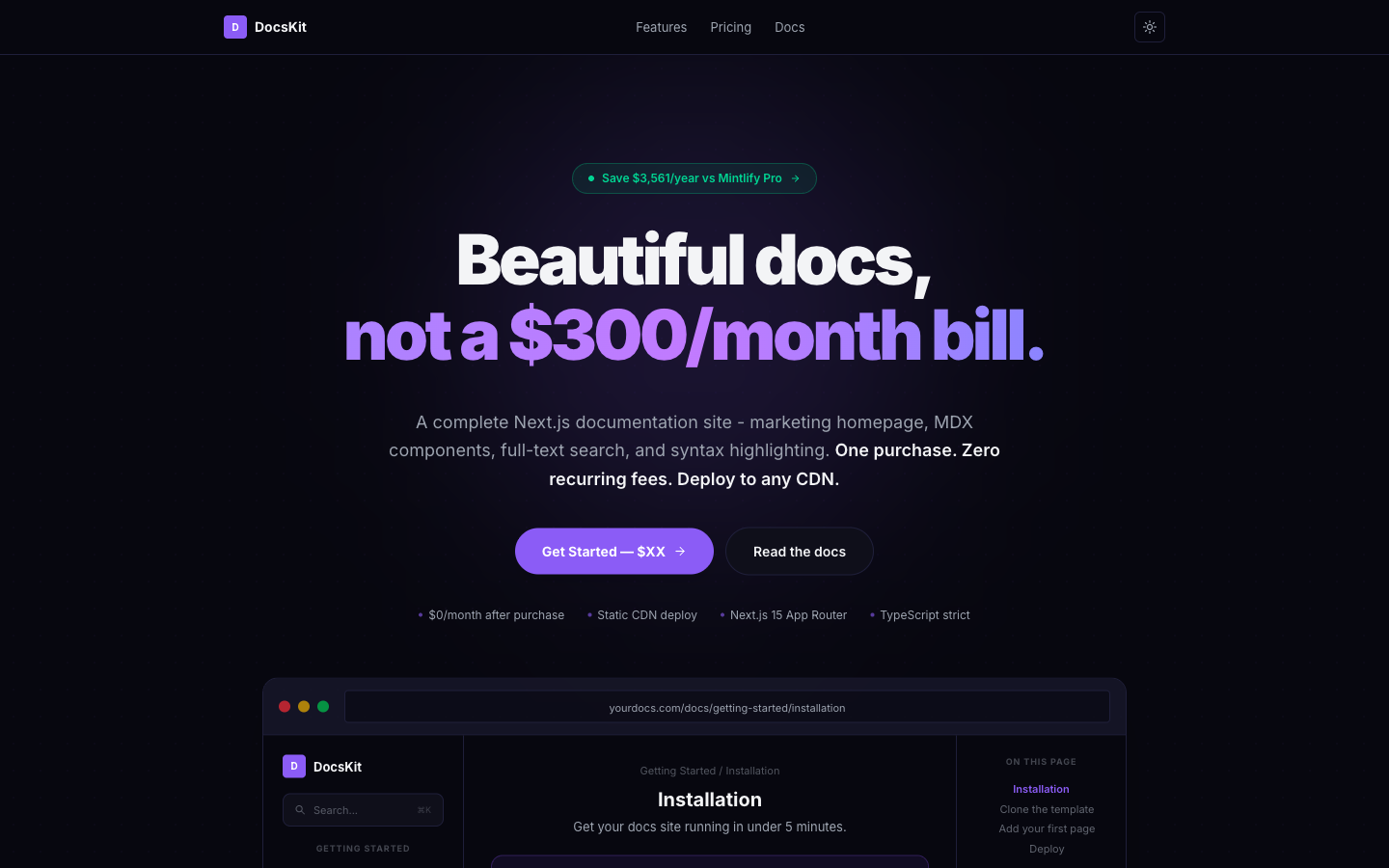
Related template
DocsKitA complete Next.js docs site with marketing homepage, MDX, full-text search, and syntax highlighting. One purchase, zero recurring fees.
How to migrate a Bootstrap project to Tailwind CSS
Migrating an existing Bootstrap project to Tailwind is rarely worth doing incrementally. The approaches are too different - Tailwind utilities don't map 1:1 to Bootstrap classes. The most practical migration path is to run both frameworks in parallel during the transition, migrating page by page rather than class by class.
- Install Tailwind CSS v4 alongside Bootstrap - they don't conflict
- Migrate one page or component at a time, replacing Bootstrap markup with Tailwind utilities
- Use Shadcn/ui for interactive components (replaces Bootstrap's JS components)
- Remove Bootstrap once all pages are migrated
- Alternatively: start fresh with a Tailwind-based Next.js template and port your business logic
# Install Tailwind CSS v4 in a Next.js project
npm install tailwindcss @tailwindcss/vite

# globals.css - Tailwind v4 setup (no tailwind.config.js needed)
@import "tailwindcss";

@theme {
  /* Your design tokens */
  --color-primary: oklch(0.55 0.20 250);
  --color-background: #ffffff;
  --color-foreground: #0c0c0d;
}
Tailwind CSS v4 changes everything for Next.js
Tailwind CSS v4 removed `tailwind.config.js` entirely. Configuration now happens in CSS using `@theme` blocks. This is a significant improvement for Next.js projects - your design tokens live in CSS where they belong, they're available as CSS custom properties throughout your codebase, and you can override them in dark mode using `@variant dark`. Every TheKitBase template is built on this v4 pattern.
Get the free template, plus new drops
DocsKit Free lands in your inbox right away. New templates after that.
Frequently asked questions
Is Bootstrap or Tailwind CSS better in 2026?
For new Next.js projects in 2026, Tailwind CSS is the better choice. It has a smaller production bundle, first-class dark mode support, a richer component ecosystem (Shadcn/ui, Radix UI), and complete design freedom. Bootstrap is still a good choice for existing projects, WordPress sites, or teams that want predefined components without design decisions.
Is Tailwind CSS harder to learn than Bootstrap?
Tailwind has a steeper initial curve because you're composing utilities rather than using named components. Once you know the utility system, it's faster than Bootstrap because you never need to look up component APIs or fight CSS specificity. Most developers feel productive with Tailwind within 1-2 weeks.
Can you use Bootstrap and Tailwind CSS together?
Yes. Bootstrap and Tailwind CSS can run in the same project without conflicts. They use different class naming conventions so there is no collision. This is useful during a migration period but not a long-term strategy - maintaining two CSS frameworks adds complexity and bundle size.
TheKitBase templates are built on Tailwind CSS v4 with Next.js App Router - complete sites with 7-11 pages, dark mode, and TypeScript strict mode. From $39, one-time purchase.
Browse Templates